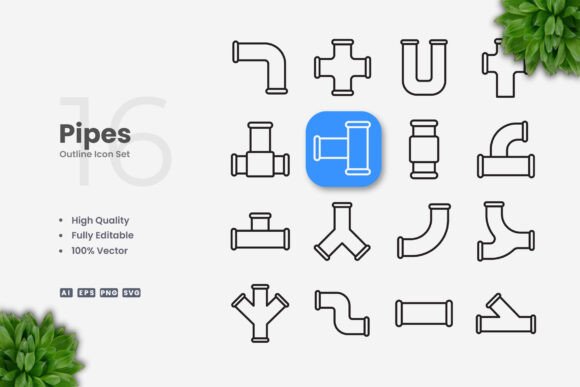
Pipes Icons for Purposeful Design Work
Every design decision carries weight. Whether you are building a mobile app interface, laying out a printed brochure, or refining a set of social media templates, the visual elements you choose either clarify your message or add noise. Pipes Icons offer a streamlined resource for those who want consistency without sacrificing flexibility. This collection of clean, vector-based symbols is built around simple lines and clear forms, making it useful across a wide range of projects.
Understanding what Pipes Icons are and how to use them deliberately can save time, improve communication, and help you maintain a coherent visual language across different media. The goal is not to add more decoration but to support the work you are already doing with better tools.
What Pipes Icons Are and Why They Deserve Attention
Pipes Icons is a set of 100 vector symbols designed with a simple, clean aesthetic. The icons focus on essential forms without unnecessary detail. This minimal approach makes them highly adaptable. Because they are delivered in formats such as AI, EPS, SVG, and PNG, you can integrate them into workflows ranging from web design to print production.
The strategic value lies in their neutrality. When an icon is too stylized or overly detailed, it can compete with content or date quickly. Pipes Icons avoid that trap. Their straightforward geometry means they work well alongside both modern and traditional layouts. For professionals who need to produce materials for different audiences, this kind of versatility reduces the need to source new icon sets for each project.
Another important factor is the editable stroke. In vector software like Adobe Illustrator or CorelDRAW, you can adjust stroke weight, change colors, and resize without losing quality. This level of control matters when you are adapting a single icon set to fit brand guidelines, accessibility requirements, or specific layout constraints.
How Pipes Icons Support Strategic Goals and Planning
Using icons without a plan often leads to visual inconsistency. Different stroke widths, mismatched styles, or varying levels of detail can make a project feel disjointed. Pipes Icons help avoid that problem because the entire set shares a unified visual language. When you plan a project around a single icon family, you create a cohesive experience for your audience.
Consider a scenario where you are developing a website for a consulting firm. You need navigation icons, service icons, and visual cues for calls to action. If you pull icons from multiple sources, you risk introducing visual friction. With Pipes Icons, you can select symbols that all share the same stroke weight and style. This consistency supports brand positioning by reinforcing a sense of order and professionalism.
For long-term projects, such as building a product interface or creating a series of educational materials, the ability to edit stroke weight and color becomes even more valuable. You can start with a neutral version and gradually refine the icons as the brand evolves. This approach saves you from redoing work later.
Practical Use Cases Across Different Media
Pipes Icons are not limited to one type of project. Their simple design makes them suitable for both digital and print applications. Here are several realistic scenarios where they can add value:
- Mobile and web app interfaces – Clean icons improve navigation without distracting from content. The SVG format works well for responsive designs, and the editable stroke lets you adjust for different screen sizes.
- Books and publications – When you need a consistent set of symbols for diagrams, instructional content, or chapter headings, these icons integrate cleanly into layouts. The PNG transparency option simplifies placement in desktop publishing software.
- Social media graphics – Quick turnaround times often require assets that are easy to resize and recolor. Having a reliable icon set on hand reduces the time spent searching for new graphics for each post.
- Infographics and data visualizations – Simple icons can serve as visual anchors that help readers process information faster. Because Pipes Icons are minimal, they do not compete with data points or typography.
- Print materials like flyers, posters, and banners – Print requires high-resolution assets. The vector formats ensure crisp output at any size, and the EPS version 10 compatibility works with older and newer software versions.
In each of these cases, the key is to use icons intentionally. Ask yourself what role each icon plays in supporting the message. If an icon does not clarify or reinforce the content, consider whether it is necessary at all.
What to Consider Before Committing to an Icon Set
While Pipes Icons offer many advantages, no single icon collection fits every situation. Thinking through a few factors beforehand helps you make a better decision.
First, consider the context of your project. If your brand relies on highly illustrative or playful imagery, a strictly minimal icon set might feel out of place. In that case, using Pipes Icons for functional elements like buttons or lists while reserving more expressive visuals for hero sections could be a balanced approach.
Second, evaluate the range of symbols included. The set contains 100 icons, which is sufficient for many projects. However, if your work requires a large number of niche symbols, you may need to supplement the set with complementary assets. The advantage of the vector format is that you can create custom variations from existing icons, which extends the usefulness of the collection.
Third, think about the editing process. Because the stroke weight is editable, you can fine-tune icons to match your exact specifications. But this also means you need to have basic proficiency with vector software. For teams that do not have design experience, the drag-and-drop PNG files offer a simpler option.
Finally, note that preview mockups are not included. The download contains the icon files themselves plus a readme.txt. This is standard for vector icon sets, but if you are used to receiving styled mockups, you will need to create your own previews during the selection process.
Risks of Using Icons Without Clear Intentions
It is easy to add icons because a layout feels empty or because others are using them. But decorative use of icons carries real risks. When symbols are added without a clear purpose, they can confuse the message, create visual clutter, or mislead the audience about the content's meaning.
For example, placing an icon next to a menu item that does not clearly relate to the symbol can cause hesitation. Users may wonder whether the icon is meant to indicate functionality or decoration. This uncertainty undermines usability and trust.
Another risk is inconsistency across materials. If you use Pipes Icons in one project and a different style in another, your audience may perceive a lack of coherence. For small businesses and freelancers who manage their own branding, maintaining a consistent visual language across all touchpoints is essential for building recognition.
The editable nature of the files also introduces a potential pitfall. Without careful attention, adjusting stroke weights or colors inconsistently across icons can break the unified look. If you change the stroke width on one icon but not another, the difference will be noticeable. Establish guidelines for how you will edit the icons before you start working.
How to Use Pipes Icons Intentionally
Using icons intentionally means treating them as functional tools, not decorations. Start by identifying the specific roles icons will play in your project. Will they guide navigation? Support a process explanation? Reinforce a brand value? Each icon should earn its place.
Create a system for selecting and editing icons. For instance, decide on a consistent stroke weight and color palette before you begin. Document those decisions so that anyone working on the project can follow the same standards. This is especially important when collaborating with a team or handing off files to a client.
Test icons in context. An icon that looks clear on its own may appear ambiguous when placed next to other elements. Preview your designs on the actual medium, whether that is a screen, a printed page, or a social media feed. Make adjustments based on how the icon functions in the real layout, not just in the asset library.
Consider accessibility as well. Icons should be large enough to be easily recognized, and they should have sufficient contrast against the background. When used as standalone symbols, consider adding text labels to ensure that the meaning is clear to all users, including those with visual impairments or cognitive differences.
Long-Term Value of a Clean Icon Foundation
Investing in a solid icon set like Pipes Icons pays off over time. Because the files are vector-based and editable, they do not become obsolete when your brand refreshes or when design trends shift. You can update colors, adjust line weights, or modify icons to fit new contexts without starting over from scratch.
For entrepreneurs and small business owners who manage their own marketing, this means less time spent sourcing new assets for every campaign. For educators and creators, it means having a reliable visual vocabulary that can be repurposed across courses, handouts, and online content. For designers and agencies, it means building a library of consistent elements that can be applied to multiple client projects with minimal customization.
The real value is not in the icons themselves but in how they support your ability to communicate clearly. When your visual tools are simple, consistent, and adaptable, you can focus more attention on the message and less on the mechanics of production.
Making the Decision That Fits Your Work
Choosing to use Pipes Icons is a practical decision. The collection offers a clean, flexible foundation that can support many types of projects. But like any tool, its effectiveness depends on how you use it. Approach the selection and application of icons with the same care you give to typography, layout, and content strategy.
Assess your current and anticipated needs. If you regularly create materials that require simple, professional symbols, this set can save you time and improve consistency. If your work demands highly specialized or illustrative icons, consider whether this style aligns with your existing visual language.
Remember that the best design decisions are not about choosing the most popular or trendy option. They are about selecting the tool that helps you achieve your specific goals with clarity and efficiency. Pipes Icons provide a reliable resource for those who value simplicity, consistency, and control in their visual communication.