Retirement in Design: Why Simple, Clean Icons Matter for Modern Content
Retirement is one of those life milestones everyone pictures differently. Some see a beach. Others see a workshop. A few see a blank calendar with nothing but possibility. But when you're creating content about retirement—whether it's a website, a brochure, a social media post, or a presentation—you need visuals that capture that feeling without cluttering the message. That's where simple and clean icon design comes in.
Retirement-themed icons are more than little graphics. They're shorthand for a major life transition. A palm tree. A rocking chair. A savings graph. A couple walking on the shore. Each symbol carries weight. But if the design is messy, overly detailed, or hard to read at small sizes, that weight gets lost. Clean, minimal icons do the opposite. They communicate instantly. And when you're working with something as personal as retirement, clarity matters.
Where You'll Use Retirement Icons in Real Projects
Think about the last time you planned a retirement party, created a financial guide, or built a landing page for a retirement community. What did you reach for first? Most likely, you needed visuals that felt warm, approachable, and professional without being cheesy. That's the sweet spot for simple icon design.
Marketers building retirement planning courses use icons to break down complex topics like compound interest, 401(k) rollovers, and Social Security timing. Instead of dense paragraphs, they drop in a clean piggy bank icon or a calendar with a checkmark. Suddenly, the material feels lighter. More digestible. More human.
Bloggers writing about second-act careers or downsizing tips rely on icons to separate sections and guide readers through the page. A house icon for selling the family home. A suitcase for travel plans. A wrench for new hobbies. Each icon acts like a signpost, helping readers find what they need without scrolling endlessly.
Print designers working on retirement brochures or flyers need icons that reproduce well at different sizes. A vector-based icon set with editable strokes means you can scale a tiny icon for a business card or blow it up for a poster without losing quality. That flexibility saves time and keeps the design consistent across formats.
Small Business Owners and Retirement Communities
If you run a senior living facility or a retirement planning firm, your marketing materials need to feel trustworthy. Overly flashy design can feel out of touch. Minimal icons, on the other hand, project calmness and clarity. A simple icon of a house with a heart, or a tree with deep roots, communicates care without saying a word. Use them on your website header, your email newsletter, or your welcome packet. They set the tone before anyone reads a single sentence.
Even your internal documents benefit. Employee handbooks, resident guides, and intake forms become easier to navigate when you add icons next to key sections. People process visuals faster than text. A trash can icon next to "disposal of personal items" saves confusion. A phone icon next to "emergency contacts" speeds up access. Simple design isn't just aesthetic. It's functional.
Why Editable Vector Icons Matter for Your Workflow
Here's something that doesn't always come up in design discussions: not everyone who uses icons is a professional designer. You might be a freelancer, a small business owner, or a teacher putting together a retirement workshop. You don't have time to learn complex software from scratch. You need something that works the moment you open the file.
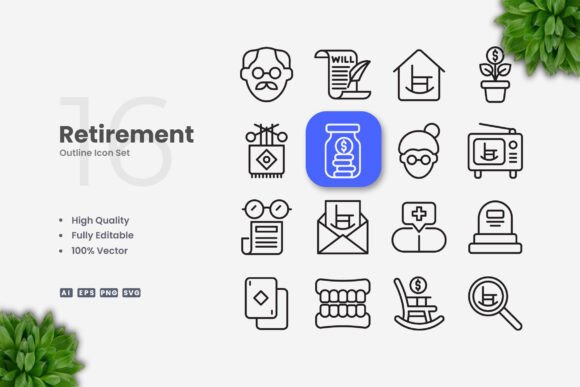
A retirement icon set that comes as editable vectors—like AI, EPS, SVG, and PNG files—means you can tweak the color to match your brand, adjust the stroke weight for better visibility, or resize without blur. That's not a luxury. It's a practical necessity when you're working on a deadline.
Imagine you're creating a infographic about retirement savings milestones. You want the icons to be warm gold and deep navy to match your brand palette. With a vector file, you open it in Adobe Illustrator or CorelDRAW, change the colors in seconds, and export. No starting from scratch. No hiring a designer for a simple color swap. That independence is huge for solo creators and small teams.
Drag and Drop Simplicity
The drag-and-drop feature in well-organized icon sets removes friction. You don't need to hunt through folders or guess which file format works best. Just drag the SVG or PNG directly into your layout software. Whether you're using Canva, Figma, InDesign, or even PowerPoint, the icon lands cleanly and stays editable. For a busy marketer juggling multiple campaigns, that kind of efficiency is a lifesaver.
Scenarios Where Retirement Icons Make a Real Difference
Let's look at a few specific situations where having a clean retirement icon set changes the outcome.
Scenario one: You're a financial educator leading a workshop at a community center. You create a handout that covers five key retirement steps. Each step gets a simple icon: a goal post for setting targets, a calendar for timing, a shield for protecting assets, a compass for diversification, and a sunset for enjoying the result. Participants remember the steps better because they associate each idea with a visual. That's not theory. That's how memory works.
Scenario two: You're a blogger writing a series called "Retirement on a Shoestring." Your audience is skeptical of big promises. They want practical advice. You use icons to label each post category: budget tips, housing options, side hustles, healthcare, and travel hacks. The icons make your blog look polished without feeling corporate. Your readers stay longer and click through more posts because the layout is easy on the eyes.
Scenario three: You're designing a retirement party invitation for a colleague. You want it to feel celebratory but not childish. A simple champagne glass icon, a clock with confetti, or a pair of sunglasses does the trick. You resize the icon for the email version and again for a printed card. The vector file keeps everything crisp. The guest of honor notices the effort. That personal touch matters.
What to Look for Before You Download or Buy a Retirement Icon Set
Not all icon sets are built the same. Before you commit to a set, consider a few practical factors that affect how useful the icons will be across your projects.
File formats matter. A good set includes AI, EPS, SVG, and PNG files. AI and EPS are the gold standard for vector editing in professional software. SVG works well for web and digital projects because it scales cleanly. PNG with transparency lets you drop icons into presentations or documents without awkward white boxes. If a set only offers one format, you're limiting your options down the road.
Stroke weight consistency. When you use multiple icons together, they need to feel like they belong to the same family. Editable stroke weight means you can match the thickness across all icons. That consistency makes your design look cohesive, whether you're building a website or a printed brochure. Without it, your icons can look mismatched and amateurish.
Color flexibility. Some icon sets lock you into preset colors. That's fine if you never need to match a brand palette. But most people do. A set that allows full color customization saves you from having to rebuild icons from scratch. You can adjust them to fit your exact needs, whether that's a dark mode website or a vibrant flyer.
Preview mockups are not included. That's worth noting because some buyers expect to see finished designs right out of the box. The icons themselves are the product. The preview images in the listing show what's possible, but you'll need to arrange them yourself in your chosen software. That's normal for vector icon sets. Understanding this upfront prevents disappointment.
Who Benefits Most from a Clean Retirement Icon Set
The short answer is anyone who communicates about retirement in any format. But let's break it down by user type, because different people have different needs.
Freelancers and solo entrepreneurs often wear every hat—writer, designer, marketer, accountant. Having a ready-to-use icon set eliminates the need to hire a graphic designer for basic visual elements. You can produce professional-looking materials on your own schedule and budget.
Educators and workshop leaders need to explain concepts clearly. Icons act as visual anchors that help learners retain information. A well-placed icon can replace a paragraph of explanation. That's especially valuable when your audience includes older adults who may appreciate clear, uncluttered materials.
Publishers and content creators producing ebooks, guides, or online courses benefit from consistent visual language across their products. Retirement icons that share the same style unify your brand and make your content look like it comes from a cohesive source. That builds trust with your audience.
Small business owners in the retirement space—financial advisors, senior movers, estate planners, travel agents—use icons to humanize their marketing. A logo is one thing, but icons throughout your website and materials make your brand feel approachable. People are more likely to reach out when they feel a personal connection.
Hobbyists and everyday users might only need icons for a single project, like a family reunion slideshow or a retirement party banner. Investing in a quality vector set means you get professional results without hiring help. And because the files are reusable, you have them for future projects too.
Real Outcomes from Using Clean Icon Design
When you use simple, clean icons in your retirement-related content, the results go beyond aesthetics. Pages load faster because SVG files are lightweight. Users navigate your site more easily because visual cues guide their eyes. Readers engage longer with your content because it looks organized and intentional. Clients perceive your business as more professional and trustworthy because the details are polished.
None of that happens by accident. It happens when you choose design assets that are flexible, high-quality, and built for real-world use. Retirement is a big topic. Your visuals should make it feel accessible, not overwhelming.
Whether you're a marketer planning a campaign, a blogger writing your next post, or a small business owner building your brand, the right icons help you tell the story without getting in the way. And that's exactly what retirement should feel like—a clear path forward, with nothing unnecessary weighing you down.