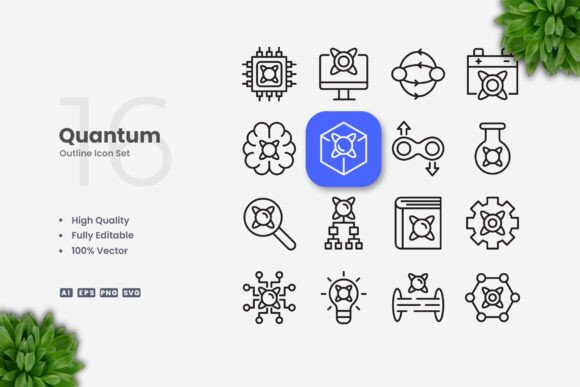
Quantum Icons for Clean Digital Design
Icons define how users navigate, understand, and connect with visual content. When an icon set balances clarity with flexibility, it becomes a foundation rather than an afterthought. Quantum Icons delivers exactly that: a collection of simple, clean vector symbols built for modern branding, UI, and print work. Whether you are designing a mobile app interface, building a social media template, or laying out an infographic, this set offers the consistency and editability that creative projects demand.
The emphasis on minimalist shapes means each icon communicates its meaning in a single glance. No unnecessary ornamentation, no distracting details. This simplicity makes the set suitable for both large posters and small mobile screens, where legibility and recognition matter most. With 100 vector files included in formats like AI, EPS, SVG, and PNG, you can start using these icons immediately across almost any platform or tool.
Why Simple Icon Design Matters for Professional Work
Clean icons reduce cognitive load. When a user sees a shopping cart symbol, a magnifying glass, or a settings gear, they should understand the function without thinking. This instant recognition is what separates professional iconography from decorative clip art. Quantum Icons follows this principle by stripping each symbol to its essential form. The result is a library that feels cohesive, modern, and intentional.
For designers and marketers, this means fewer revisions. A well-designed icon does not confuse or mislead. It supports the message. Whether you are creating an onboarding screen for an app or a call-to-action button on a landing page, the icon does the heavy lifting of visual communication. The clean stroke style also pairs well with bold typography, photography, and other graphic elements, making it easy to integrate into existing layouts without visual friction.
Creative Possibilities Across Formats and Platforms
The real strength of Quantum Icons lies in its adaptability. Because each icon is a vector file, you can resize it from a small favicon to a billboard-sized graphic without losing quality. This scalability is essential for multi-channel campaigns where the same symbol appears on a website, a printed flyer, and a social media post. You maintain brand consistency without recreating assets each time.
Consider these practical applications:
- Website and app UI: Use the icons for navigation menus, feature lists, buttons, and empty states. The uniform stroke weight ensures a balanced interface.
- Social media graphics: Drop icons into Instagram carousels, LinkedIn posts, or YouTube thumbnails to highlight key points visually.
- Infographics and data visualization: Replace generic bullet points with relevant icons to guide the reader through statistics or steps.
- Print materials: Flyers, banners, posters, and book layouts benefit from crisp iconography that reproduces well at any size.
- Presentations and pitch decks: Icons break up text-heavy slides and make complex ideas more digestible.
Each use case benefits from the same core advantage: you can edit the stroke weight, change the color, or rotate the symbol in seconds using vector software. This control lets you match the icons to your brand palette without starting from scratch.
How Different Users Can Adapt Quantum Icons
Not every project needs the same treatment. A freelancer designing a landing page for a local business will use icons differently than a marketing team producing a national campaign. Quantum Icons supports both scenarios because the files are built for customization.
Independent creators and hobbyists can open the SVG or AI file in Adobe Illustrator or CorelDRAW and adjust the stroke weight to match their preferred aesthetic. Thinner strokes feel modern and lightweight; thicker strokes add boldness and improve legibility at small sizes. You can also experiment with duotone effects, gradients, or monochrome palettes depending on the mood of your project.
Small business owners and entrepreneurs often need icons for packaging, signage, or social media templates. The PNG transparency files place nicely over photographs or colored backgrounds. You do not need advanced design skills to drag and drop these into Canva, PowerPoint, or Keynote. The readme.txt file included in the set provides quick tips for getting started.
Educators and publishers can use the icons to create worksheets, ebooks, or instructional guides. Consistent iconography helps learners follow instructions and remember key concepts. Because the icons are vector based, you can adjust them for dark mode or high-contrast accessibility requirements without losing detail.
Designers and agencies working on multiple client projects will appreciate the time saved by having a reliable icon library. Instead of drawing custom symbols for every dashboard or brochure, you can start with Quantum Icons and customize the color and stroke to fit each brand identity. This efficiency does not compromise originality, because the edits you make transform the icons into something unique to the project.
Practical Guidance for Keeping Results Clear and Consistent
Even the best icon set requires thoughtful implementation. Here are a few recommendations to get the most out of Quantum Icons:
- Maintain consistent stroke weight across your project. If you mix icons with different line thicknesses, the visual rhythm breaks. Choose one weight and stick with it.
- Use color intentionally. Limit your palette to two or three colors per layout. Overusing color in icons competes with headlines and data.
- Align icons to a grid. When placing multiple icons together, keep equal spacing and consistent sizing. This structure creates a professional, organized appearance.
- Consider context. An icon that works well on a white background may need a subtle shadow or outline on a busy photograph. Test your icons in the actual environment where they will appear.
- Edit with purpose. The ability to change color and stroke weight is powerful, but avoid altering the icon so much that it loses its recognizable shape. The meaning should remain clear.
These practices apply whether you are designing a single social media post or a full website interface. Consistency builds trust with your audience, and familiar iconography speeds up comprehension.
Balancing Inspiration with Practical Application
Creativity flourishes when you have reliable building blocks. Quantum Icons provides those blocks in a format that respects your time and your design standards. Instead of spending hours searching for the perfect symbol or drawing one from scratch, you can focus on composition, hierarchy, and storytelling. The icons are a tool, not the final product, and a good tool adapts to the hand that uses it.
For example, imagine you are designing a one-page website for a subscription service. You need icons for sign-up, payment, support, and features. With Quantum Icons, you pull the relevant symbols, adjust the stroke weight to match your brand, and apply your primary color. The result feels cohesive and intentional. The same icons can then appear in a welcome email, a help center article, and a print brochure without looking like afterthoughts.
That kind of cross-platform unity is difficult to achieve with free icon sets that lack consistent styling or editable vectors. Quantum Icons solves this by delivering a unified visual language from the start.
Flexibility for Future Projects
Trends in design change, but simple, clean iconography rarely goes out of style. The files you download today will still serve you years from now. Because you own the source files (AI, EPS, SVG), you are not locked into a subscription or a specific tool. You can revisit your icons, update colors, or resize them for new formats as your projects evolve.
This long-term value is especially important for entrepreneurs and small business owners who build their brand gradually. An icon set that adapts to new products, platforms, and campaigns saves money and reduces the need for repeated design purchases. The one-time download becomes a reusable resource that grows with your work.
Getting Started with Your Icon Library
When you download Quantum Icons, you receive the source files plus a readme.txt with basic instructions. Open the AI or EPS file in Adobe Illustrator, CorelDRAW, Affinity Designer, or any compatible vector editor. From there, you can select any icon, change its fill and stroke, and export it in the format you need. The PNG files with transparency are ready for immediate use in presentations, social media, or web mockups.
If you are new to vector editing, start by changing the color of a single icon. Experiment with different stroke weights to see how the icon feels thinner or bolder. Once you are comfortable, start building your own icon library by organizing the symbols by category or project name. This habit saves time on future projects and helps you maintain a consistent visual style across all your work.
Whether you are a designer refining a mobile interface, a marketer building a campaign, or an educator preparing course materials, Quantum Icons gives you a reliable starting point. The simplicity of the design means your content stays in focus, and the flexibility of the vectors means you never outgrow the set.