Innovation Icons as a Design Language for Modern Communication
Visual communication relies heavily on symbols that convey complex ideas instantly. Among the most versatile tools in a designer's arsenal, Innovation Icons have emerged as a bridge between abstract concepts and clear visual representation. These icons distill the essence of progress, technology, and forward-thinking into simple, memorable shapes that work across virtually any medium. Whether you are developing a mobile app interface, designing a social media campaign, or laying out an infographic, the right set of icons can transform how your audience perceives and interacts with your content.
What Defines an Innovation Icon in Contemporary Design
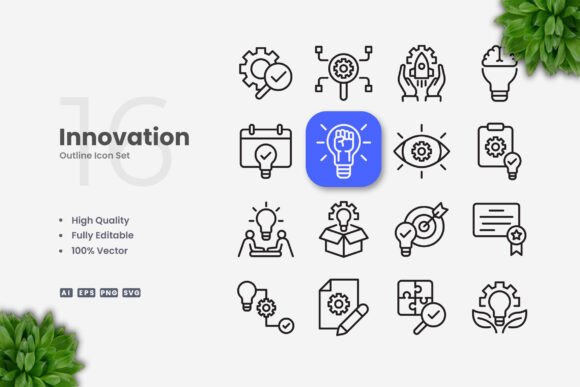
An innovation icon is not merely a drawing of a lightbulb or a gear. It is a carefully constructed symbol that represents a process, a breakthrough idea, or a novel approach. The most effective icons in this category rely on a clean and simple aesthetic, stripping away unnecessary detail to leave only the essential visual cues. This minimalism ensures that the icon remains recognizable at small sizes, in monochrome, or when viewed on a low-resolution screen. The design must communicate instantly: a brain with a spark for intelligent thinking, a network of nodes for connectivity, or an abstract arrow breaking through a circle to represent disruption.
The underlying philosophy is that complexity in design often diminishes clarity. By focusing on geometric precision, consistent line weights, and open negative space, Innovation Icons achieve a level of professionalism that suits both corporate presentations and creative social media posts. The trend toward simple icon design is not a passing fashion but a response to the cognitive load of modern life. Users scan content rapidly, and an icon that requires interpretation fails its purpose. Clean icons, by contrast, require almost no mental effort to decode, making them indispensable in fast-paced digital environments.
Characteristics of High-Quality Innovation Icons
When evaluating a library of Innovation Icons, several technical and aesthetic characteristics separate a usable set from an impractical one. The icons must be built on a consistent grid system, ensuring that when used side by side, they create visual harmony. Stroke weight uniformity is critical. An icon with a stroke of two points will look disjointed next to an icon with a stroke of four points. Similarly, the corner radii, cap styles, and alignment of shapes should follow a unified rule set across the entire collection.
A key advantage of modern icon libraries is that they are delivered as vector files. Vector graphics are resolution-independent, meaning a single icon file can be scaled to fit a 16-pixel favicon or a 3-meter poster without any loss of quality. The standard file formats include SVG for web use, EPS for legacy software compatibility, and AI (Adobe Illustrator) source files for deep customization. Transparency-enabled PNG files are also invaluable for quick mockups or for use in applications that do not support vector formats.
Another essential feature is editable stroke capability. This allows a designer to adjust the thickness of the icon lines without redrawing the artwork. In a typical workflow, a marketing team might need all icons to appear bolder for a large banner, then switch to a thinner stroke for an app interface. With editable strokes, this change takes seconds rather than hours. The same principle applies to color. A well-constructed icon set uses fill and stroke properties that can be modified globally, enabling a brand to match its exact color palette without editing each icon individually.
Advantages of Using a Simple and Clean Icon Design
The advantages of adopting a simple and clean icon style extend beyond aesthetics. For businesses, consistency in iconography reinforces brand identity. When every icon across a website, a mobile app, a printed brochure, and a social media graphic follows the same visual language, users build a subconscious trust in the brand’s professionalism. For educational materials, simplicity reduces distraction. A textbook or e-learning platform that uses clean icons helps learners focus on the content rather than deciphering overly artistic illustrations.
Accessibility is another major benefit. Simple icons with clear contrasts are easier to perceive by individuals with visual impairments or cognitive disabilities. High contrast between the icon and its background, combined with straightforward shapes, makes screen reader descriptions more accurate and tactile representations more meaningful. In the context of healthcare, wayfinding, or safety instructions, this clarity can be critical.
From a production perspective, vector-based Innovation Icons reduce file sizes and loading times. SVG files, for example, are XML-based and often compress to a fraction of the size of raster images. For websites and mobile apps, this translates into faster page loads and a better user experience. The drag-and-drop nature of these assets further streamlines workflow. A designer can simply open a file, select the desired icon, and place it into a layout without re-creating the artwork from scratch.
Practical Applications Across Media Platforms
The versatility of Innovation Icons makes them suitable for an exceptionally broad range of applications. In web design, they serve as navigation aids, call-to-action buttons, and feature highlights. A landing page for a startup might use a clean gear icon to denote technology, a handshake icon for collaboration, and a bar graph icon for growth. These symbols guide the eye and break up text-heavy layouts.
For mobile apps, icons must function at small sizes and on screens with varying resolutions. Simple icon design excels here because it remains legible on a smartwatch face, a phone screen, or a tablet. The uniform stroke weight ensures that when the icon is scaled down, the lines do not disappear or become blurry. Many app developers prefer editable stroke icons because they can adjust the thickness to match the system font weight, creating a cohesive interface.
In print media such as flyers, posters, and banners, vector icons offer the advantage of infinite scalability. A poster designed at A5 size can be enlarged to A0 without pixelation. This is particularly useful for trade show displays where a single iconic message needs to be visible from a distance. Infographics rely heavily on icons to visualize data points and processes. A clean icon representing a factory, a truck, or a research lab can replace a paragraph of text, making the infographic more scannable and shareable.
Social media content benefits from the quick recognition factor. A LinkedIn post about innovation can use a lightbulb icon with a subtle design twist, while an Instagram story about new technology can incorporate a series of icons as animated transitions. Because the icons are simple, they render well even with the compression algorithms used by social platforms. Books and e-books also use icons to mark chapter headings, callouts, and sidebars. Consistency in icon style throughout a publication adds a layer of polish that readers notice, even if subconsciously.
Customization Workflow with Vector Software
One of the most empowering aspects of using Innovation Icons in vector format is the ease of customization. Programs like Adobe Illustrator and CorelDRAW provide full control over every aspect of the icon. To change the color of an icon, a user selects the object and applies a new fill or stroke color. Global color swatches allow multiple icons to be updated simultaneously, which is essential when applying a new brand palette.
Editing stroke weight follows a similar process. If an icon contains a stroke that is too thin for a particular use case, the designer can adjust the stroke width in the appearance panel or directly in the toolbar. For icons that use filled shapes instead of strokes, the same principle applies through path expansion and offsetting. The key is that the source files are structured in a way that separates editable elements from locked background layers, making the editing process intuitive even for designers who are not experienced with the software.
The inclusion of a Readme.txt file in the asset package adds a layer of practical support. This file typically contains information about the font used (if any), a summary of the file formats included, and brief instructions on how to open and modify the files. While experienced users may not need these instructions, they are invaluable for teams where different members have varying levels of software proficiency. The preview mockup images shown on marketplace listings are intentionally not included in the download to ensure that the buyer receives only the production-ready assets without filler files.
Considerations When Selecting an Icon Set
Not all icon sets are created equal. When choosing a collection of Innovation Icons, it is important to examine the diversity of the subjects covered. A set that focuses exclusively on technology icons may be insufficient for a report that also needs icons for nature, education, or healthcare. Look for sets that include both abstract symbols and representational icons, as this provides flexibility for a wide range of content.
The file format support is another practical consideration. SVG files are now the standard for web use because they support interactivity, animation, and small file sizes. EPS version 10 files are useful for legacy compatibility, especially in print production environments that have not updated their software. AI source files are essential if you plan to extensively modify the icons, as they preserve layers, effects, and editable text. PNG transparency files are convenient for quick use in applications that cannot interpret vector data, such as certain presentation tools or basic image editors.
License terms also matter. Some icon sets restrict usage to a specific number of projects or require attribution. For commercial use, especially in products that will be sold or distributed widely, it is prudent to choose a set that grants broad permissions. The high-quality design and 100% vector nature of the assets described ensure that you are investing in a resource that will serve you across multiple projects and platforms.
Integrating Innovation Icons Into a Broader Design System
The real power of Innovation Icons emerges when they are integrated into a cohesive design system. A design system includes not just icons but also typography, color palettes, spacing rules, and component libraries. Icons should be consistent with the overall visual tone of the brand. A bold, rounded icon style works well with a friendly and approachable brand voice, while sharp, angular icons suggest precision and cutting-edge technology.
When creating a design system, define the icon grid size, stroke weight, and corner radii upfront. Document these specifications so that every contributor to the project follows the same rules. This is particularly important for large organizations where multiple teams produce content independently. Using a centralized library of Innovation Icons in a shared cloud folder or asset management tool ensures that everyone accesses the same approved icons rather than creating custom alternatives that introduce inconsistency.
The adaptability of simple icon design makes it future-proof. Trends in user interface design evolve, but the fundamental need for clear, scalable, and editable visual symbols remains constant. By investing in a well-crafted set of Innovation Icons today, you are building a foundation that can adapt to tomorrow’s platforms, whether that involves augmented reality displays, foldable screens, or new social media formats.
Practical Tips for Non-Designers Using Icon Assets
Not everyone who uses Innovation Icons is a professional designer. Small business owners, educators, and hobbyists often need to create their own marketing materials or presentations. For those with limited design experience, the drag-and-drop nature of these assets is a significant advantage. Simply open the SVG or PNG file, copy the icon, and paste it into your document. Most presentation software and word processors support SVG files, and if not, the PNG version provides a reliable fallback.
When resizing icons, always hold the Shift key to maintain proportions. Distorting an icon by stretching it horizontally or vertically ruins the balance that made it effective in the first place. If you need a different color, most vector icons can be recolored in PowerPoint or Google Slides using the shape fill tool, though for truly precise color matching, opening the file in a vector editor is recommended.
For educators creating worksheets or study materials, simple and clean icons can illustrate concepts without overwhelming students. A biology handout might use a leaf icon for photosynthesis, a cell icon for unit structure, and a DNA icon for genetics. The consistency of the icon style adds a professional touch that helps students take the material seriously. Similarly, researchers presenting findings at conferences benefit from icons that translate data into visual stories, making complex results more accessible to an interdisciplinary audience.
The bottom line is that Innovation Icons, when designed with simplicity and clarity in mind, become a universal language. They save time, improve comprehension, and elevate the visual quality of any project. By choosing assets that offer high quality, 100% vector scalability, and complete customizability, you empower yourself to create content that stands out in a crowded visual landscape. Whether you are designing for print, screen, or live presentation, these icons provide the building blocks for effective and engaging communication.